Start Game Button Block
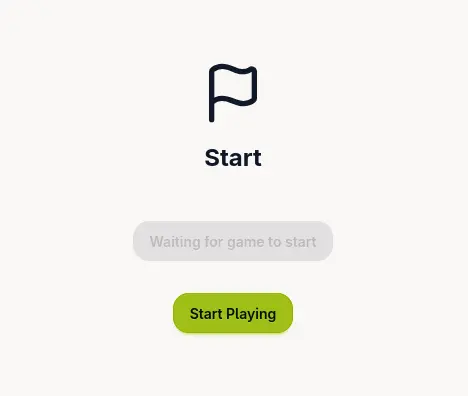
The start game button block displays a button that allows teams to begin the game when it’s active. The button text and style automatically adapt based on the game’s current status.
Important: This block can only be placed on the Start page. It is automatically created for all new Start pages and cannot be deleted, though it can be moved and edited to customise the appearance.
Options
When configuring the start game button block, you can customise:
- Scheduled Button Text: Text displayed on the button when the game is scheduled but not yet active (e.g., “Game starts soon”, “Please wait”). The button is disabled in this state.
- Active Button Text: Text displayed on the button when the game is active and ready to start (e.g., “Start Game!”, “Begin Adventure!”, “Let’s Go!”).
- Button Style: Visual style of the button. Options include:
- Primary: Bold, prominent button style (default)
- Secondary: Subtle, less prominent style
- Accent: Eye-catching accent colour
- Neutral: Minimal, neutral style
Behaviour
The button automatically adapts based on the game instance’s status:
- Closed: Button is hidden completely
- Scheduled: Button is visible but disabled, showing the scheduled text
- Active: Button becomes clickable, showing the active text. When clicked, it redirects the team to the first location of the game.
The button only appears when the game has a scheduled or active status, ensuring teams don’t see it when the game is closed.
Example
Preview of the states the Start Game button can take, with default settings